
Story
Call of Duty Mobile Tips: Pro Guide for 2026
Learn the best call of duty mobile tips for 2026: sensitivity settings, claw HUD, gyroscope, recoil control, movement tricks, and a beginner M4 loadout.
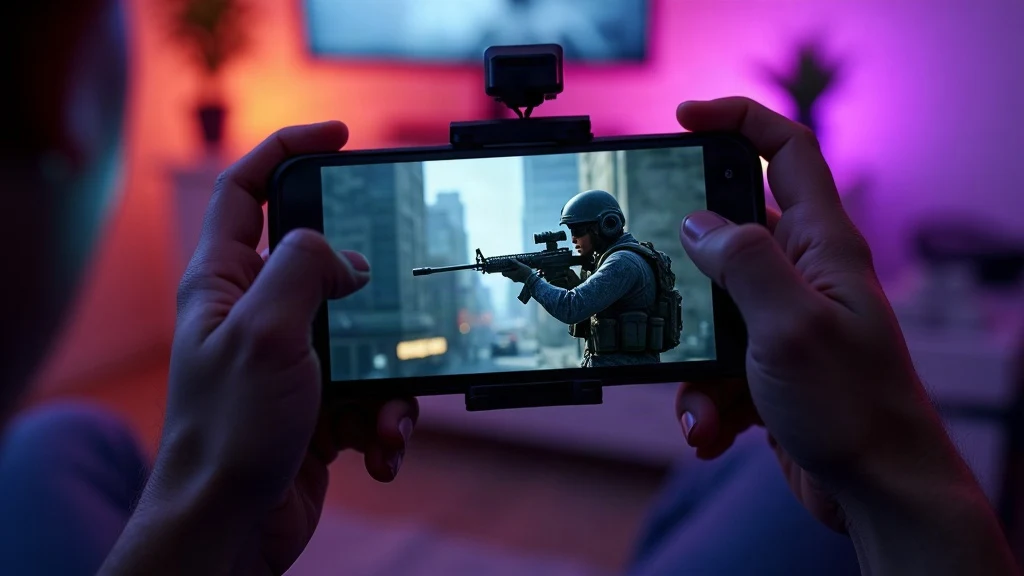
If you're looking for call of duty mobile tips that actually improve your rank, you've come to the right place. The key to winning in COD Mobile isn't just aim; it's a combination of sensitivity, HUD layout, movement, and map awareness. In this 2026 guide, we'll break down the exact settings and techniques used by top players, from sensitivity numbers to claw HUD setups, so you can start climbing the ladder today.
Related reading: Discover our full guide on Best PUBG Tips: 20 Pro Tips for Beginners in 2026.
Call of Duty Mobile Tips: Sensitivity Settings That Work
Your sensitivity is the foundation of every shot you take. Too high and you'll overcorrect; too low and you'll be too slow to track enemies. The sweet spot for most players in 2026 is a standard sensitivity between 70 and 90, an ADS sensitivity between 80 and 110, and a sniper scope sensitivity between 40 and 60. These ranges give you enough speed for close-quarters fights while keeping precision for long-range engagements.
| Setting | Recommended Range |
|---|---|
| Standard Sensitivity | 70-90 |
| ADS Sensitivity | 80-110 |
| Sniper Scope Sensitivity | 40-60 |
Start at the middle of these ranges and adjust in small increments. Play a few matches, then tweak by 5 points until it feels natural. Remember, your sensitivity should let you track a moving target without breaking your wrist. The official Call of Duty Mobile website reminds players that personal preference matters, but these numbers are a proven starting point.
Enable Gyroscope for ADS Fine-Tuning
The gyroscope is a hidden gem in COD Mobile. When enabled, it lets you fine-tune your aim by tilting your phone, which is especially useful for long-range shots and tracking. Go to Settings > Basic > Gyroscope and set it to "Always On" or "ADS Only." Most pros prefer "ADS Only" because it avoids accidental movement while running. Once enabled, practice in the training range. You'll find that small wrist tilts can correct your aim without moving your thumbs, giving you a significant edge in firefights.
Build a Consistent 3- or 4-Finger Claw HUD
If you're still playing with two thumbs, you're leaving kills on the table. A claw HUD lets you aim, shoot, jump, and crouch simultaneously. The 3-finger claw is a great starting point: your left thumb moves, your right thumb aims, and your right index finger fires. The 4-finger claw adds your left index finger for jumping or crouching. To set it up, go to Settings > Custom Layout and drag the fire button to the top right corner, the jump button to the top left, and keep the joystick on the bottom left. Make the buttons larger and increase opacity so you can see them clearly. Practice in the training range until the layout feels second nature. For more mobile shooter advice, check out our Brawl Stars tips as well.
Recoil Control and the M4 Beginner Loadout
Recoil control is about pulling down on your right thumb while firing. The M4 is the perfect weapon to learn with because it has manageable recoil and solid damage. For a beginner loadout, attach the OWC Ranger barrel for range, No Stock for mobility, Stippled Grip for faster ADS, and Tactical Foregrip for recoil reduction. This setup lets you stay accurate at medium range while keeping your movement speed high. In the training range, practice firing at a wall and adjust your pull-down speed until the bullets group tightly. Once you master the M4, you can graduate to higher-recoil weapons like the AK-47.
Movement Tricks: Dolphin Jump and Backslide
Movement is what separates good players from great ones. The dolphin jump lets you slide and jump at the same time, making you a harder target while keeping your momentum. To do it, slide and then immediately press jump. The backslide is a quick retreat: slide backward while firing to disengage from a losing fight. Both tricks require practice, but they'll dramatically improve your survivability. Use them to peek corners, escape grenades, and reposition during gunfights.
Map Knowledge and Rotation Tips
Knowing the map is half the battle. Learn the common chokepoints, head-glitch spots, and spawn points on each map. In objective modes like Domination, always rotate to the next objective before the current one is captured. This keeps you ahead of the enemy team and avoids getting trapped. Use the minimap to track enemy fire and predict where they'll push. A good rule of thumb: if you haven't seen an enemy in 10 seconds, they're probably flanking you.
Frequently Asked Questions
What is the best sensitivity for COD Mobile in 2026?
The best sensitivity is personal, but most players perform well with standard sensitivity between 70 and 90, ADS between 80 and 110, and sniper scope between 40 and 60. Start in the middle and adjust.
How do I enable gyroscope in COD Mobile?
Go to Settings > Basic > Gyroscope and select "Always On" or "ADS Only." We recommend "ADS Only" for better control.
Is the M4 good for beginners in COD Mobile?
Yes, the M4 is one of the best beginner weapons due to its low recoil and versatility. Use the OWC Ranger barrel, No Stock, Stippled Grip, and Tactical Foregrip for a balanced loadout.
What is the claw HUD in COD Mobile?
The claw HUD is a custom button layout that uses multiple fingers to perform actions simultaneously. A 3-finger claw uses your right index finger to fire, while a 4-finger claw adds your left index finger for jumping or crouching.
For more mobile gaming guides, explore our Mobile Gaming category. If you want to improve your device's performance, read our Game Booster 4x Faster Pro APK review. Now get out there and put these call of duty mobile tips into practice. Your rank will thank you.
Next story

Mobile Legend Tips and Tricks: Best Settings for 2026
Mobile Legend tips and tricks for 2026: best sensitivity, controls, graphics, and audio settings to improve performance and win more ranked games.


