
Story
Fortnite Mobile Tips: 15 Pro Tips for 2026
Fortnite mobile tips for 2026: best touch controls, aim settings, building tricks, and device settings. Win more matches with these pro tips.
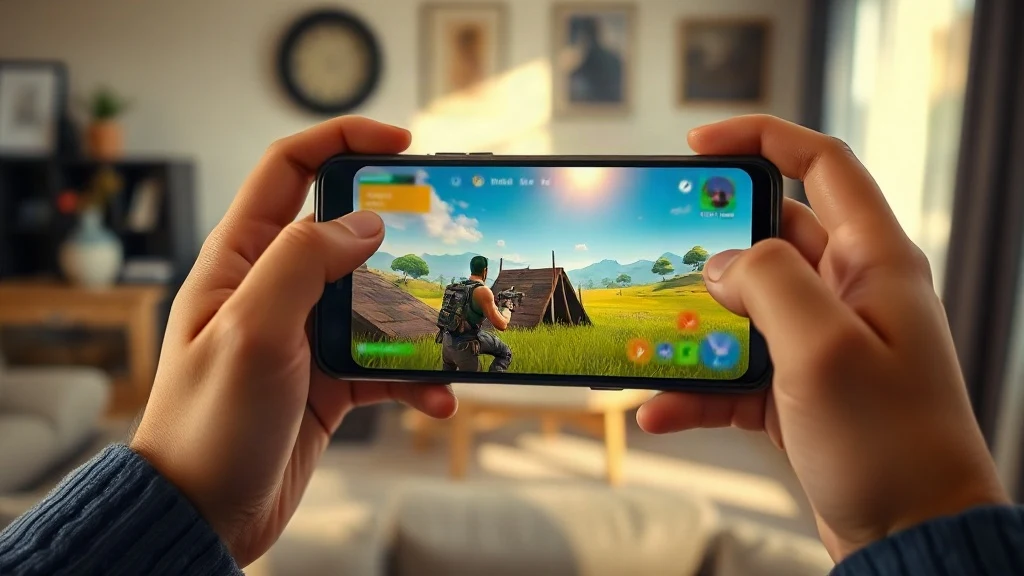
Fortnite mobile tips can instantly improve your win rate, whether you are a new player or a returning one. In this guide, you will learn the best touch controls, aim settings, building techniques, and device settings for 2026. By the end, you will have a clear action plan to play smarter and win more matches on your phone or tablet.
Related reading: Discover our full guide on Best Way to Play Mobile Legends: 2026 Pro Guide.
Related reading: Discover our full guide on Best PUBG Tips: 20 Pro Tips for Beginners in 2026.
What Are the Best Fortnite Mobile Settings for 2026?
The best Fortnite mobile settings for 2026 balance frame rate, graphics, and touch responsiveness. Set your frame rate to 60 FPS if your device supports it, turn off auto-brightness, and adjust your touch sensitivity to match your play style. A stable 60 FPS gives you a competitive edge because the game feels smoother and your inputs register faster. Lower your graphics quality to High or Medium to reduce heat and battery drain, which also prevents performance drops during intense fights.
How Do You Master Touch Controls on Fortnite Mobile?
Mastering touch controls starts with customizing your HUD layout so every button is within your thumb's reach. Move the fire button to the top left corner of the screen and place the jump button on the right side so you can jump and aim at the same time. Use the 3D Touch or 3D Touch-like feature on supported devices to aim down sights with a light press. Practice in Team Rumble or Creative mode to build muscle memory without the pressure of a real match.
What Are the Best Aim Settings for Fortnite Mobile?
The best aim settings for Fortnite mobile include a sensitivity between 40 and 60 percent, aim assist on, and a small dead zone on your thumbsticks. Start with these values and adjust them in the practice range until you can track a moving target smoothly. Turn on 'Auto Fire' if you are a beginner, but switch to manual fire once you are comfortable, because manual fire gives you more control over your shots. Pro players often lower their sensitivity slightly to keep their crosshair steady during long-range fights.
How Do You Build Faster on Fortnite Mobile?
Building faster on Fortnite mobile requires you to use the right button layout and practice your builds. Switch to 'Builder Pro' or a custom layout that lets you select walls, ramps, and floors with a single tap. Keep your thumb on the right side of the screen to look around while you build with your left thumb. Practice the basic 90s and ramp rushes in Creative mode for 10 minutes a day. Over time, your muscle memory will make these moves automatic.
What Device Settings Should You Use for Fortnite Mobile?
For the best Fortnite mobile experience, use a device with at least 4GB of RAM and a 60Hz or higher refresh rate display. In the game, set your graphics to Smooth or Medium, enable 60 FPS mode, and turn off shadows and anti-aliasing to reduce input lag. Close background apps and enable 'Do Not Disturb' to avoid notifications that can interrupt your game. If you play on a tablet, consider using a controller for better precision, but remember that you will be matched with other controller players.
What Are the Best Fortnite Mobile Tips for Beginners?
For beginners, the best Fortnite mobile tips are to land in quiet areas, loot quickly, and stay inside the storm circle. Use the 'Auto Pickup' option to save time, and always carry at least one healing item. Learn to use the environment for cover, and do not engage in fights unless you have to. Watch your back and use headphones to hear enemy footsteps. Most importantly, die and learn from your mistakes, because every match teaches you something new.
How Do You Reduce Lag on Fortnite Mobile?
To reduce lag on Fortnite mobile, close all background apps, use a 5GHz Wi-Fi network, and lower your graphics settings. Turn off 'Replay' and 'Screen Recording' features in the game settings, as they consume resources. If you are on a cellular connection, switch to a stable Wi-Fi network or vice versa. Updating your device's operating system and the game itself can also fix performance issues. For more optimization tips, check out our guide on game boosters, but be careful with third-party apps that promise unrealistic results.
What Are the Best Fortnite Mobile Weapons in 2026?
The best Fortnite mobile weapons in 2026 are the MK-Seven Assault Rifle, the Combat SMG, and the Heavy Sniper. These weapons have high damage output and are versatile in most combat situations. Pair a long-range weapon with a close-range one, like a shotgun or SMG, to be ready for any fight. Always carry a shield potion or two, and use the environment to your advantage. Check the official Fortnite website for the latest weapon stats, as Epic Games frequently updates the game.
How Do You Get Free V-Bucks on Fortnite Mobile?
You can get free V-Bucks on Fortnite mobile by completing Battle Pass challenges, leveling up, and participating in special events. The Battle Pass costs 950 V-Bucks, but you can earn up to 1,500 V-Bucks back by reaching level 100. Save your V-Bucks for the next season's Battle Pass, and avoid third-party websites that promise free V-Bucks, as they are scams. Epic Games does not offer free V-Bucks outside of the game, so stay safe and play legitimately.
What Is the Best Fortnite Mobile Device in 2026?
The best Fortnite mobile device in 2026 is one with a flagship processor, 8GB of RAM, and a 120Hz display, such as the latest iPhone Pro or Samsung Galaxy Ultra. These devices can run Fortnite at 60 FPS with high graphics settings and minimal lag. However, you do not need the most expensive phone to enjoy the game. A mid-range phone with a Snapdragon 7 series chip and 6GB of RAM can run Fortnite smoothly at 30 FPS. Check the official Fortnite website for a list of supported devices and their performance.
How Do You Improve Your Fortnite Mobile Game Sense?
Improving your Fortnite mobile game sense comes from playing more matches and analyzing your decisions. Watch your replays to see where you made mistakes, and learn from pro players on YouTube or Twitch. Pay attention to the storm circle and rotate early to avoid getting caught in the storm. Use high ground to your advantage, and always be aware of your surroundings. The more you play, the better you will understand the game's flow and make smarter decisions.
What Are the Best Fortnite Mobile Controller Settings?
The best Fortnite mobile controller settings include a sensitivity of 0.5 to 0.7, aim assist on, and a dead zone of 0.1 to 0.2. Connect your controller via Bluetooth and test it in the game's settings menu. You can also customize the button mapping to your preference. Remember that using a controller will match you with other controller players, so practice to get the most out of it. For more controller tips, check out our guide on Call of Duty Mobile tips, which shares similar mechanics.
How Do You Fix Fortnite Mobile Crashes?
To fix Fortnite mobile crashes, clear the game's cache, update your device's operating system, and reinstall the game if necessary. Make sure you have enough free storage space, as low storage can cause crashes. If the problem persists, try lowering your graphics settings or playing on a different device. Epic Games regularly releases patches to fix bugs, so keep the game updated. If you are using an Android device, make sure it is on the official supported devices list.
What Are the Best Fortnite Mobile Audio Settings?
The best Fortnite mobile audio settings are to use headphones and enable '3D Audio' in the game settings. This helps you hear enemy footsteps and gunfire from different directions. Turn off 'Music' and 'Sound Effects' if you find them distracting, but keep 'Voice Chat' on to communicate with your team. Adjust the 'Master Volume' to a comfortable level, and use the 'Visualize Sound Effects' option if you are deaf or hard of hearing. Good audio awareness is crucial for winning fights.
How Do You Get Better at Fortnite Mobile Fast?
To get better at Fortnite mobile fast, focus on one skill at a time, such as building, aiming, or editing. Spend 15 minutes a day in Creative mode practicing your builds and edits. Watch tutorials from pro players and try to copy their strategies. Play with friends who are better than you, and learn from your losses. Finally, take breaks to avoid burnout, and always warm up before jumping into a match. With consistent practice, you will see improvement in no time.
What Are the Best Fortnite Mobile Settings for Low-End Phones?
For low-end phones, set your graphics to 'Smooth' and your frame rate to '30 FPS' to ensure a stable experience. Turn off 'Shadows', 'Anti-Aliasing', and 'Motion Blur' to free up resources. Close all background apps and enable 'Game Mode' on your device if available. Consider using a game booster app, but be cautious as some can harm your device. If the game still lags, try lowering your resolution in the game settings or upgrading your device when possible.
How Do You Use the Fortnite Mobile Practice Range?
To use the Fortnite mobile practice range, go to the game's main menu and select 'Practice Range' from the game modes. Here you can test different weapons, practice your aim, and try out new building techniques. Use the practice dummies to improve your accuracy, and set up custom challenges for yourself, like hitting a certain number of headshots in a row. The practice range is the best place to warm up before a match and to test your sensitivity settings.
What Are the Best Fortnite Mobile Keybinds for Tablets?
The best Fortnite mobile keybinds for tablets are to use the 'Claw' grip, which allows you to tap multiple buttons at once. Customize your HUD so that your left thumb controls the movement stick and your right thumb controls the camera. Use the top corners of the screen for building and editing, and keep your fire button near your right thumb. Practice in Team Rumble to get used to the layout. For more tablet-specific tips, check out our guide on Brawl Stars tips, which also uses a similar control scheme.
How Do You Stream Fortnite Mobile on Twitch?
To stream Fortnite mobile on Twitch, you need a streaming app like Streamlabs or Mobcrush, and a stable internet connection. Open the app, log in with your Twitch account, and select Fortnite as your game. Configure your stream settings, such as resolution and bitrate, and start streaming. Use a phone stand to keep your device stable, and consider using a capture card for better quality. Interact with your viewers and have fun. For more streaming tips, check out our guide on game boosters, which can help improve your stream performance.
What Are the Best Fortnite Mobile Settings for 120 FPS?
To enable 120 FPS on Fortnite mobile, you need a device with a 120Hz display and the latest version of the game. Go to the video settings and select '120 FPS' as your frame rate. Lower your graphics to 'Smooth' or 'Medium' to maintain a stable frame rate. Keep in mind that 120 FPS drains your battery faster and can heat up your device, so use a cooling fan if necessary. Not all devices support 120 FPS, so check the official Fortnite website for the list of compatible devices.
How Do You Get Better at Fortnite Mobile Building?
To get better at Fortnite mobile building, practice the basic structures until they become second nature. Use the 'Builder Pro' layout and customize your HUD to have all building pieces within reach. Practice building ramps, walls, and floors in Creative mode, and learn to do 90s and ramp rushes. Watch building tutorials on YouTube and try to copy the pros. Remember that building is not just about speed, but also about strategy, so always have a plan for your next move.
What Are the Best Fortnite Mobile Settings for Pro Players?
Pro Fortnite mobile players often use a sensitivity of 50 to 60 percent, with aim assist on and a small dead zone. They also use a custom HUD that puts all important buttons within easy reach. They play on high-end devices with 90 or 120 FPS support and use a phone cooler to prevent thermal throttling. They also use a game controller or a phone with a high touch sampling rate for faster response times. Remember that the best settings are the ones that feel comfortable to you, so experiment and find what works.
How Do You Fix Fortnite Mobile Audio Not Working?
To fix Fortnite mobile audio not working, check your device's volume and make sure the game is not muted. Restart the game and your device, and check if the problem is with your headphones or speakers. Update the game and your device's operating system, and clear the game's cache if necessary. If you are using Bluetooth headphones, try disconnecting and reconnecting them. If the issue persists, reinstall the game, but make sure to back up your settings first.
What Are the Best Fortnite Mobile Tips for Winning Solo Matches?
To win solo matches in Fortnite mobile, land in a quiet area, loot quickly, and rotate to the center of the circle early. Use the storm as your ally and avoid unnecessary fights. Keep your loadout balanced with a long-range, medium-range, and close-range weapon. Use building to protect yourself and gain high ground. Always be aware of your surroundings and use headphones to hear enemies. With practice and patience, you will get that Victory Royale.
How Do You Get the Best Fortnite Mobile FPS?
To get the best Fortnite mobile FPS, lower your graphics settings, close background apps, and enable 'Performance Mode' if available. Use a device with a high refresh rate display and a powerful processor. Keep your device cool by removing the case and playing in a well-ventilated area. Update your game and device drivers, and consider using a game booster app. For more tips on improving performance, check out our guide on game boosters, but always download from trusted sources.
What Are the Best Fortnite Mobile Tips for Team Rumble?
In Team Rumble, focus on completing your challenges and helping your team by providing support. Use the respawn mechanic to your advantage and always land with your team. Build forts to protect your teammates and capture the flag. Use the environment to flank the enemy and take out their players. Team Rumble is a great way to practice your aim and building without the pressure of a real match. For more team-based tips, check out our guide on Call of Duty Mobile tips, which has similar modes.
How Do You Improve Your Fortnite Mobile Editing?
To improve your Fortnite mobile editing, practice in Creative mode and use the 'Edit' button on your HUD. Customize your edit controls to make them easier to reach, and use the 'Edit' button to select multiple tiles. Learn the basic edit shapes, such as the door, window, and ramp, and practice them until they are second nature. Watch editing tutorials and try to copy the pros. Remember that editing is a skill that takes time to master, so be patient with yourself.
What Are the Best Fortnite Mobile Tips for Beginners in 2026?
For beginners in 2026, the best Fortnite mobile tips are to start with the practice range, use the 'Auto Fire' option, and play Team Rumble to learn the game. Focus on survival and learn the map, and do not be afraid to hide and let other players fight. Use the 'Visualize Sound Effects' option to see where sounds are coming from. Most importantly, have fun and do not get discouraged by losses. With time and practice, you will improve.
How Do You Get the Best Fortnite Mobile Graphics Settings?
The best Fortnite mobile graphics settings depend on your device's capabilities. For a balance between performance and visuals, set your graphics to 'High' and your frame rate to '60 FPS'. Turn on 'Shadows' and 'Anti-Aliasing' if your device can handle it, but turn them off if you experience lag. Adjust the 'Brightness' and 'Color Blind' settings to your preference. Remember that a higher frame rate is more important than graphics for competitive play.
What Are the Best Fortnite Mobile Tips for Winning in 2026?
To win in Fortnite mobile in 2026, you need to master the fundamentals: aiming, building, and editing. Use the tips in this guide to optimize your settings and practice regularly. Stay updated with the latest game updates and meta changes, and adapt your play style accordingly. Play with a team and communicate effectively. Most importantly, stay calm under pressure and make smart decisions. With these Fortnite mobile tips, you will be on your way to more Victory Royales.
Frequently Asked Questions
Is Fortnite Mobile still available in 2026?
Yes, Fortnite Mobile is still available in 2026, but it is not available on the Apple App Store due to the ongoing legal dispute. You can download it from the Google Play Store, Samsung Galaxy Store, or directly from Epic Games' website. Check the official Fortnite website for the latest information on platform availability.
Can you play Fortnite Mobile with a controller?
Yes, you can play Fortnite Mobile with a controller. Connect a Bluetooth controller to your device and enable it in the game's settings. Note that you will be matched with other controller players, and some features like aim assist may be adjusted for balance.
How do I get 60 FPS on Fortnite Mobile?
To get 60 FPS on Fortnite Mobile, go to the video settings and select '60 FPS' as your frame rate. Make sure your device supports it and that you have a stable connection. Lower your graphics settings if you experience lag.
What is the best sensitivity for Fortnite Mobile?
The best sensitivity for Fortnite Mobile is subjective, but a good starting point is 50% for both horizontal and vertical sensitivity. Adjust from there based on your play style and comfort. Practice in the practice range to find the perfect setting.
How do I get free skins in Fortnite Mobile?
You can get free skins in Fortnite Mobile by completing Battle Pass challenges, participating in events, and leveling up. Some skins are also available for free through the item shop or as rewards for watching official Fortnite streams. Keep an eye on the in-game news for freebies.
Is Fortnite Mobile cross-platform?
Yes, Fortnite Mobile is cross-platform, meaning you can play with friends on other platforms like PC, console, and other mobile devices. However, you will be matched with players on the same platform by default, but you can enable cross-play in the settings.
How do I fix Fortnite Mobile lag?
To fix Fortnite Mobile lag, close background apps, use a stable internet connection, and lower your graphics settings. Update your device and the game, and clear the game's cache if necessary. If the problem persists, try restarting your device or reinstalling the game.
What are the best Fortnite Mobile settings for low-end devices?
For low-end devices, set your graphics to 'Smooth' and your frame rate to '30 FPS'. Turn off shadows, anti-aliasing, and motion blur. Close all background apps and use a game booster if needed. Consider playing on a lower resolution if possible.
How do I get better at Fortnite Mobile without spending money?
You can get better at Fortnite Mobile without spending money by practicing in Creative mode, watching tutorials, and playing regularly. Use the practice range to improve your aim and building. Take advantage of free rewards and events to earn V-Bucks and cosmetics.
What is the best Fortnite Mobile phone in 2026?
The best Fortnite Mobile phone in 2026 is one with a flagship processor, at least 8GB of RAM, and a 120Hz display. Popular choices include the latest iPhone Pro, Samsung Galaxy Ultra, and ASUS ROG Phone. However, you can play Fortnite on a budget phone with lower settings.
Final Thoughts
These Fortnite mobile tips should help you improve your gameplay and enjoy the game more. Remember to customize your settings, practice regularly, and stay updated with the latest meta. For more mobile gaming tips, check out our other guides on this site. Good luck and have fun on the island!
For more in-depth strategies, check out our Call of Duty Mobile tips and Brawl Stars tips for other popular mobile games. If you are looking to boost your device's performance, read our game booster review to see if it is worth it.
Next story

Mobile Legend Tips and Tricks: Best Settings for 2026
Mobile Legend tips and tricks for 2026: best sensitivity, controls, graphics, and audio settings to improve performance and win more ranked games.


